Complete the registration form
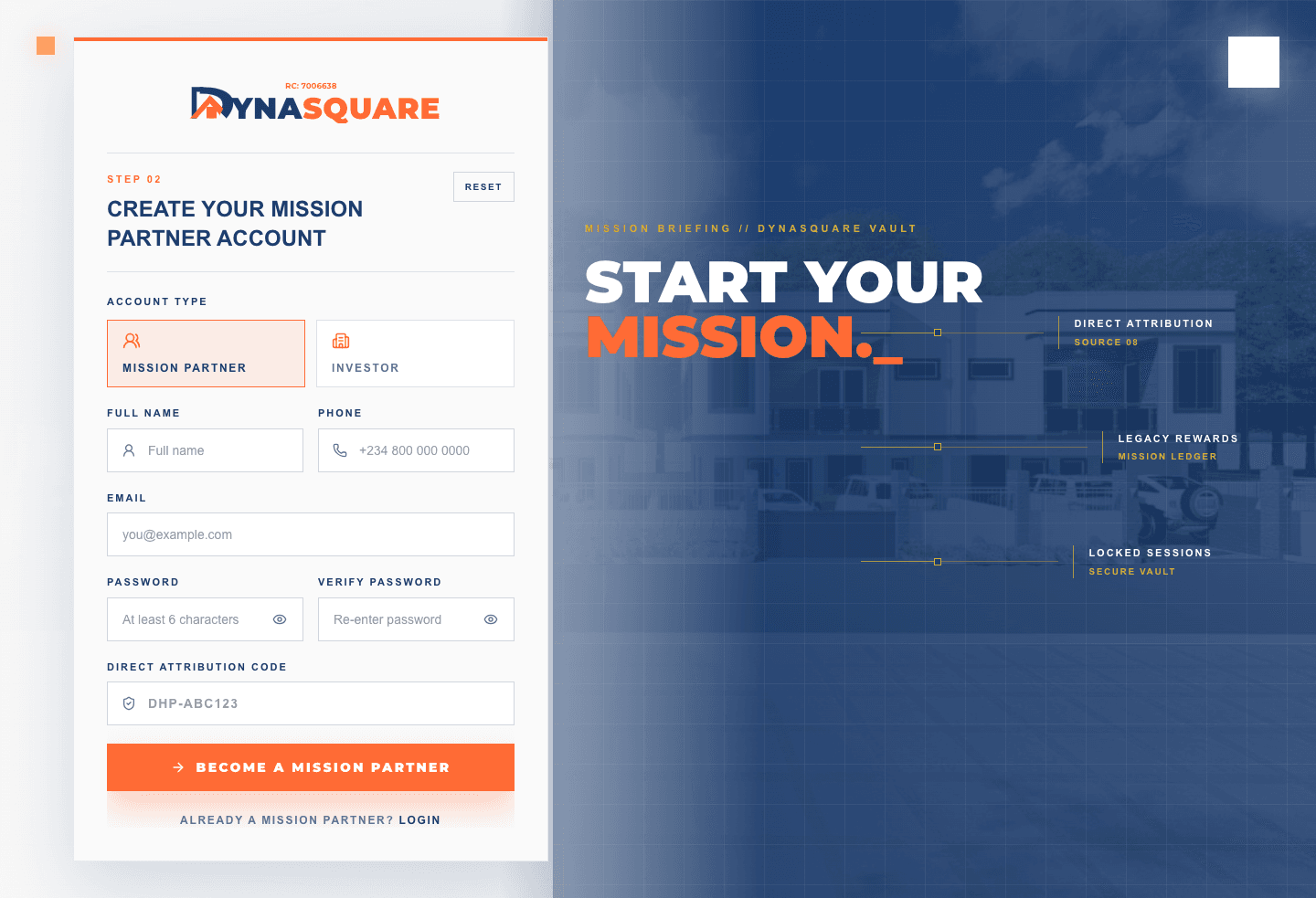
- Open dynasquare.ng/join-the-mission and select BECOME A MISSION PARTNER.
- Enter Full Name, Phone, Email, Password, and Verify Password.
- Enter the referring Mission Partner’s Direct Attribution Code when one applies.
- Review the email address before selecting BECOME A MISSION PARTNER.
Understand MISSION CREATED
MISSION CREATED means the registration was accepted and is waiting for email verification. It does not mean a Mission Control session is active.
If the page says an account already exists, go to login. Do not use another email to bypass the existing account.
Verify and continue
- Open the newest Dynasquare verification message.
- Use its verification control without forwarding or sharing the complete link.
- Open Mission Partner Login and use the verified email and password.
- Confirm your name and DHP Partner Code in Mission Control.
Was this guide helpful?
Choose an option for this page. Account support is available separately.